
Zap Calendar 4 Beta Now Available, Supports Joomla 3.x
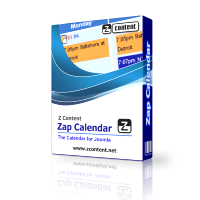 We are pleased to announce the availability of Zap Calendar 4 beta release. This release supports 3.x versions of Joomla. In addition to version 3.x support, Zap Calendar 4 also has the following new features:
- Installation of the component and all add-ons from one Zip file
- Support for multiple time zones
- Re-design of back-end screens to match Joomla 3.x interface
- Refreshed front-end design
Over 10 add-ons are included with this initial release with more add-ons coming soon. One add-on you will want to enable is the new title plugin, which displays your calendar browser buttons at the top of the calendar in the front-end. This is now an add-on so that it can be swapped out with a custom plugin for those who like to customize Zap Calendar.
A couple of names have changed with this release to better describe their purpose. Calendar "Views" are now called "Calendars", and the iCal Subscribe plugin is now called "iCal Sync".
If you are migrating your event data from Zap Calendar 3, you can create an iCalendar export file from Zap Calendar 3 and import it into Zap Calendar using the iCal import under the tools menu. This method will import your events as well as categories and locations that are associated with those events (make sure you select the "import ievents nto separate categoires" option). A table upgrade is not supported due to the changes made to support multiple time zones and other features.
Zap Calendar 4 beta is now available to all current subscribers on the Z Content web site.
Scan Events Into your Personal Calendar Using Your Smart Phone And The New QR Code Plugin
 |
|
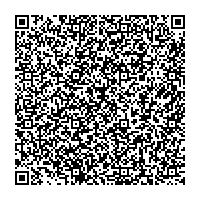
QR Code For A |
Z Content just released its 30th add-on for Zap Calendar: The QR code plugin. This plugin allows users to scan calendar events using a QR code scanner app on their phone to easily add the event to their calendar. The QR code can contain the event title, date and time, location and the description of the event. QR codes can be printed or scanned directly from the web page.
This plugin is included starting in the 3.1.1 release of Zap Calendar Standard and Pro editions. You will need to be running version 3.1.1 or later of Zap Calendar to use this plugin.
This is the third Zap Calendar add-on released since version 3.1 and brings the total add-ons available for Zap Calendar to 30. The other recently released plugins are an e-mail reminder plugin (all versions), which automatically sends e-mail reminders to event owners prior to their event, and gravatar (Pro version only), which utilizes a user's avatar uploaded to gravatar.com (used with event owner field and with the comment and RSVP plugins). The Zap Weather plugin was also recently updated to support Zap Weather version 8 and Joomla 2.5.
Zap Calendar 3.1 Reaches Production Status
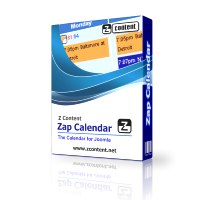 The production version of Zap Calendar version 3.1 is now available, and it provides several new features and add-ons. One exciting new feature is the ability to display a monthly or weekly calendar display in list mode in addition to grid mode. Users can easily toggle between the list mode and grid mode and print in either mode, as well as download events directly from the list. New plugins include an e-mail reminder plugin (all versions), which automatically sends e-mail reminders to event owners prior to their event, and gravatar (Pro version), which utilizes a user's avatar uploaded to gravatar.com (used with event owner field and with the comment and RSVP plugins). This version also includes an updated plugin for Zap Weather version 8, which will display weather forecast icons and temperatures within on your calendar (Zap Weather is a free Joomla component for displaying U.S.A. weather developed by Z Content).
Version 8 of Zap Weather Now Available, New Module and Plugin
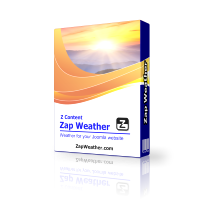 We are excited to announce Zap Weather version 8 is now available. This version adds some new features to the recently redesigned component for displaying U.S.A. weather for Joomla sites. These features include:
- New 3 hour display of the weather forecast
- New module to display weather forecasts and observations
- New plugin to display weather within an article or custom HTML module
The plugin has some exciting possibilities. Users can now create their own customized weather module using the Zap Weather plugin and the custom HTML module. Read the Zap Weather plugin examples page for some examples.
As always, Zap Weather provides weather information to Joomla sites with "no commercial interruptions", which means there is no advertising or links to external commercial sites of any kind. Zap Weather utilizes weather data from the National Weather Service (NWS), a U.S.A. government agency that provides weather to consumers as well as many commercial companies.
Also, look for a new Zap Weather plugin for Zap Calendar that supports version 8 of Zap Weather, coming out soon.